
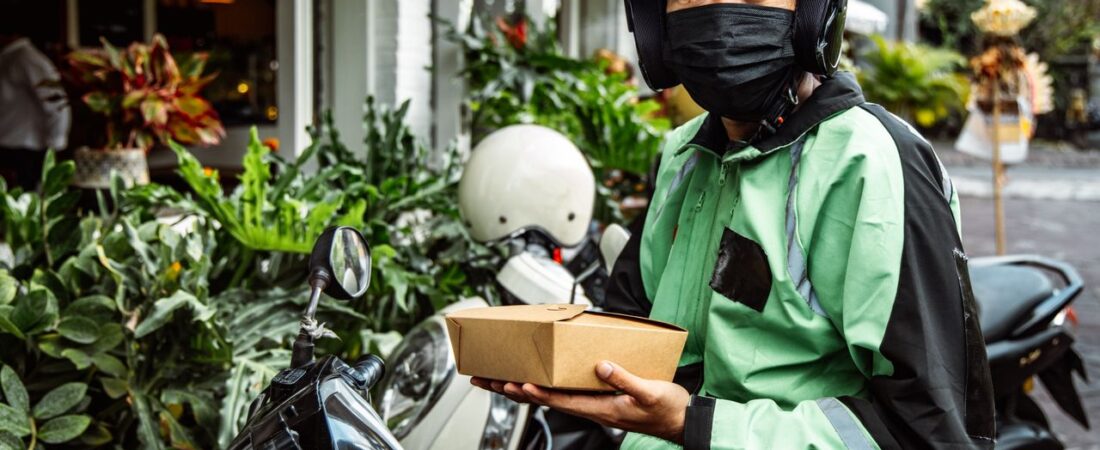

Every delivery driver has been there. Your payment didn’t show up. A customer falsely reported their order never arrived. Your account got deactivated without warning. And you’re staring at a generic help center page with no way to reach a real person.
Driver Opportunity
Want to Earn While You Read?
Join as a new driver and get up to a $2,575 guaranteed bonus after completing your first 200 deliveries in select US cities.
Start Earning Now →New drivers only · Terms apply · Available in select cities
Getting support from DoorDash, Uber Eats, and Spark Driver can feel impossible. But it doesn’t have to be. In this guide, we’ll walk you through exactly how to get help from each platform in 2026, what to do when support ignores you, and how to resolve common issues fast.
Why Gig Platform Customer Support Is So Frustrating
In 2025, delivery apps handled over 3 billion orders in the United States. That’s a lot of support tickets. The platforms have responded by pushing everything toward automation and AI chatbots. While this handles simple issues like password resets, it creates a nightmare for drivers with real problems.
Here’s what drivers in Houston, Dallas, Austin, New York, Chicago, and Los Angeles complain about most:
- Waiting hours or days for a human response
- Getting copy-pasted answers that don’t address the problem
- Appealing deactivations with no explanation
- Disputing missing pay or incorrect tips
- Getting through to someone who actually has authority to fix things
Understanding how each platform’s support system works is the first step to getting your problem solved.
DoorDash Support: How to Get Help in 2026
DoorDash has improved its support options over the past year, but it still requires knowing the right channels.
In-App Chat Support
The fastest way to reach DoorDash support is through the Dasher app. Tap the question mark icon in the top right, choose your issue category, and you’ll be connected to either an automated assistant or a live agent. During peak hours in major markets like New York City and Chicago, you might wait 15-30 minutes for a human. Off-peak hours (early morning or late night) often get faster connections.
DoorDash Phone Support
DoorDash maintains a dedicated phone line for dashers, but they don’t publish it widely. After navigating the in-app menu for “account issues” or “deactivation,” you’ll eventually be offered a call-back option. Take it. Phone support agents have more authority than chat agents to fix payment issues, reinstate accounts, and adjust ratings.
DoorDash Support Centers
In 2026, DoorDash operates walk-in support centers in select cities. Dashers in Los Angeles and Houston can visit these centers for in-person help with deactivations, missing equipment, and complex payment disputes. To find one near you, check the Dasher app’s “Help” section for your city’s special resources.
Escalating a DoorDash Issue
When chat and phone support can’t solve your problem, escalate to DoorDash’s specialist teams. Ask the agent to create a “tier-2 ticket” and request a case number. Write it down. If you don’t get a resolution within 48 hours, reach out to DoorDash’s social media support on X (formerly Twitter) at @DoorDash_Help. Public social media complaints often get faster responses than private tickets.
Uber Eats & Uber Driver Support in 2026
Uber operates one of the most complex support systems because it covers both rides and deliveries. The key is making sure you’re talking to the right team.
Uber Driver App Help Center
Open the Uber Driver app, tap the shield or question mark icon, and select your issue. Uber’s AI triages everything first. For common issues like “I forgot my password” or “how do I start delivering,” the AI handles it. For payment disputes, deactivations, and safety incidents, the AI routes you to a human agent.
Uber Greenlight Hubs
Uber’s Greenlight Hubs are physical locations where drivers can get in-person help. Major cities with active hubs include Houston (multiple locations), Dallas, Austin, New York, Chicago, and Los Angeles. These hubs handle account issues, document verification, deactivation appeals, and equipment returns. No appointment is typically needed, but drivers in New York City report that weekday mornings have the shortest wait times.
As of 2026, Uber is expanding its hub network to include dedicated delivery-only support counters, recognizing that delivery drivers have different issues than rideshare drivers.
Uber Phone Support
The Uber Driver app offers a “call support” option hidden inside the help menu. Keep clicking through prompts until you see the callback option appear. Drivers in Dallas and Austin report that selecting “account deactivation” or “payment issue” as your initial category gets you to a human faster than “general question.”
Uber Safety Line
For safety-related issues including harassment, theft, or accidents, Uber maintains a dedicated safety support line accessible from the app’s safety toolkit. This line connects to specially trained agents who can escalate directly to Uber’s Trust and Safety team.
Spark Driver Support: What Works in 2026
Spark Driver (Walmart’s delivery platform) has a reputation for the hardest-to-reach support. But there are strategies that work.
Spark Driver In-App Support
Open the Spark Driver app, tap the profile icon, then select “Support.” The chat interface connects you to an automated assistant first. Type “agent” or “representative” repeatedly to bypass the bot. If that doesn’t work, type “account deactivation” even if that’s not your issue — this usually triggers a transfer to a human.
Spark Driver Phone Support
Spark’s phone number is 1-855-743-2674. This is the general Spark Driver support line. Expect wait times of 30-60 minutes during peak hours. Early morning calls (6-8 AM local time) tend to connect fastest. Drivers in Houston and Dallas report that calling Tuesday through Thursday morning gives the shortest hold times.
Spark Onboarding & Local Support
Spark has onboarding coordinators in most major markets who can help with account issues. If you’re in Chicago, Los Angeles, or Austin, ask in your local Spark Driver Facebook group for the regional coordinator’s contact information. These coordinators can’t fix everything, but they can escalate to Walmart’s internal teams faster than the general support line.
Escalating With Spark
Spark’s tier-2 support team handles deactivations, payment disputes, and safety incidents. To reach them, call the main support line and firmly but politely ask for “tier 2” or “account specialist.” If the first agent refuses, hang up and call back. Different agents have different willingness to transfer.
Common Support Issues and Exact Solutions
Missing or Incorrect Pay
This is the most common issue across all three platforms. Document everything. Screenshot your offer screen before accepting, your delivery confirmation, and the payout screen. For DoorDash, submit a “pay discrepancy” ticket from the earnings tab. For Uber Eats, use the “Fare Review” option in the trip details. For Spark, call the support line with your trip ID ready.
If the automated system rejects your claim, request a manual review by a human agent. Drivers in New York City report that citing specific labor laws (like NYC’s minimum pay rate for app-based drivers) speeds up manual reviews.
Deactivation Appeals
Getting deactivated doesn’t have to be permanent. Each platform has an appeals process, but they don’t make it obvious.
For DoorDash, log into your Dasher account on a web browser (not the app). You’ll find the appeals form under “Account” > “Deactivation Status.” Submit a detailed written appeal explaining what happened and include any evidence (dashcam footage, customer messages, timestamps). DoorDash typically responds within 3-5 business days.
For Uber Eats, use the driver app’s “Account” > “Deactivation Appeal” option. Uber’s appeals process considers your overall rating, delivery completion rate, and history of customer complaints. Drivers who include a written statement explaining their side of the story have significantly higher reinstatement rates.
For Spark Driver, call the support line and ask for the appeals team. Have your driver ID and the reason for deactivation ready. Spark’s appeals process is less structured than DoorDash or Uber, which means persistence matters. Drivers in Houston report that calling three times over a week eventually gets you to someone who can help.
Stolen Orders and False Reports
When a customer falsely reports their order wasn’t delivered, it can trigger automatic deactivation after multiple reports. Protect yourself with these steps:
- Take a photo of every delivery, not just the required one
- Use timestamp camera apps that overlay the address and time
- Save GPS coordinates at the delivery location
- Text customers through the app before marking “delivered”
- Invest in a dashcam for your vehicle
If you receive a contract violation for a stolen order on DoorDash, submit dispute evidence immediately. Uber Eats allows you to add photos to delivery reports retroactively through the help menu. On Spark, you need to call support and provide your evidence verbally — they don’t have a good system for uploading photos to dispute individual orders.
Technical Issues and App Crashes
App crashes during active deliveries cost drivers real money. When your app freezes or crashes mid-delivery, here’s what to do for each platform:
DoorDash: Force close and reopen the app. If it doesn’t recover, call dasher support immediately at the number in your Dasher app settings. Document the time of the crash and any orders you couldn’t complete. DoorDash will compensate you for lost time and pay if you report within 2 hours.
Uber Eats: The Uber Driver app automatically saves your place in most cases, but if it doesn’t, use the app’s “Trip Issue” reporting tool. Uber’s technical support team can credit you for any trips affected by known app issues.
Spark Driver: Spark’s app is the most prone to crashes. Keep the Walmart delivery support number saved in your phone. When the app crashes, call immediately and ask them to manually complete any orders in progress so you still get paid.
General Strategies for Faster Support in 2026
Be Prepared Before You Need Help
The most effective strategy is to set yourself up for easier support before problems happen.
Save all three support numbers in your phone right now. Screenshot your current account status, ratings, and completed deliveries every week. Keep a dedicated folder in your email for delivery-related correspondence. These simple habits save hours of frustration when something goes wrong.
Document Everything
Every experienced driver in Los Angeles, Chicago, and New York will tell you the same thing: documentation wins disputes. When you accept an order, screenshot the offer amount, mileage, and estimated time. When you complete a delivery, save the confirmation screen. When a customer sends an unusual message, screenshot it in case it becomes evidence later.
This habit has saved drivers in Dallas thousands of dollars in disputed pay. One documented trip correction can pay for a month of phone plan costs.
Use Social Media as a Leverage Tool
All three platforms monitor social media mentions. When your support ticket stalls, posting a polite but firm message tagging the platform’s help account on X (Twitter) often gets a response within hours. Some drivers in Austin explicitly keep their support ticket number in their X bio to prove they’ve been waiting.
A sample message: “@DoorDash_Help I’ve had ticket #12345 open for 5 days with no response about missing pay from 12 deliveries. Can someone please look at this?”
Time Your Calls Strategically
Support volume varies dramatically by time of day. For all three platforms, calling between 6 AM and 9 AM local time on Tuesday, Wednesday, or Thursday yields the shortest wait times. Avoid Monday mornings (drivers reporting weekend issues) and Friday evenings (pre-weekend rush). Sunday afternoons are surprisingly good for DoorDash support, but terrible for Spark.
What to Do When Support Fails Completely
Sometimes you do everything right and still can’t get help. When that happens, you still have options.
File a Complaint With Your State’s Labor Department
If a platform owes you money and won’t pay, file a wage complaint with your state’s department of labor. California, New York, Illinois, and Texas all have labor boards that investigate gig economy wage claims. The threat of a formal complaint often gets a platform’s legal team involved, which can resolve even months-old disputes.
Small Claims Court
For disputes over $500, small claims court is a legitimate option. You don’t need a lawyer, and filing fees are usually under $100. DoorDash, Uber, and Walmart all have legal representatives who show up for small claims hearings in major cities. The mere filing of a claim often prompts a settlement offer.
Better Business Bureau (BBB)
Filing a BBB complaint against DoorDash, Uber, or Walmart (for Spark) creates a public record that the platforms want to resolve. All three companies respond to BBB complaints through dedicated teams. While the BBB has no legal authority, the public nature of complaints motivates companies to address them.
Consider Multi-Apping to Reduce Dependence
The best long-term strategy is to never be dependent on a single platform for your income. Drivers who run DoorDash, Uber Eats, and Spark simultaneously can afford to wait out a slow support response on one app while earning on the others. Multi-apping doesn’t just maximize earnings — it protects you from the stress of a single account issue ruining your week.
Final Thoughts
Getting support from delivery platforms in 2026 is still harder than it should be. But knowing the right channels, strategies, and escalation paths makes a huge difference. The drivers who get their problems solved fastest are the ones who document everything, know which support channels to use for each issue type, and aren’t afraid to escalate when the first agent can’t help.
Whether you’re dashing in New York City, delivering Uber Eats in Houston, or running Spark orders in Dallas, these strategies will help you get the support you deserve. Save this guide, bookmark the support numbers, and start building your documentation habits today. Your future self will thank you.
Ready to earn more with Uber in 2026?
Ready to Start?
Turn This Guide Into Real Income
Thousands of drivers are already earning with delivery gigs. New drivers can get up to a $2,575 guaranteed bonus after their first 200 deliveries in select US cities.
Sign Up & Start Delivering →New drivers only · Terms apply · Available in select cities
New drivers can earn up to $2,575 after completing their first 200 trips. With Uber Eats, you keep 100% of your tips and get paid weekly. Delivery support is available 24/7 to help you with any issues.
Sign Up for Uber & Earn $2,575 →