
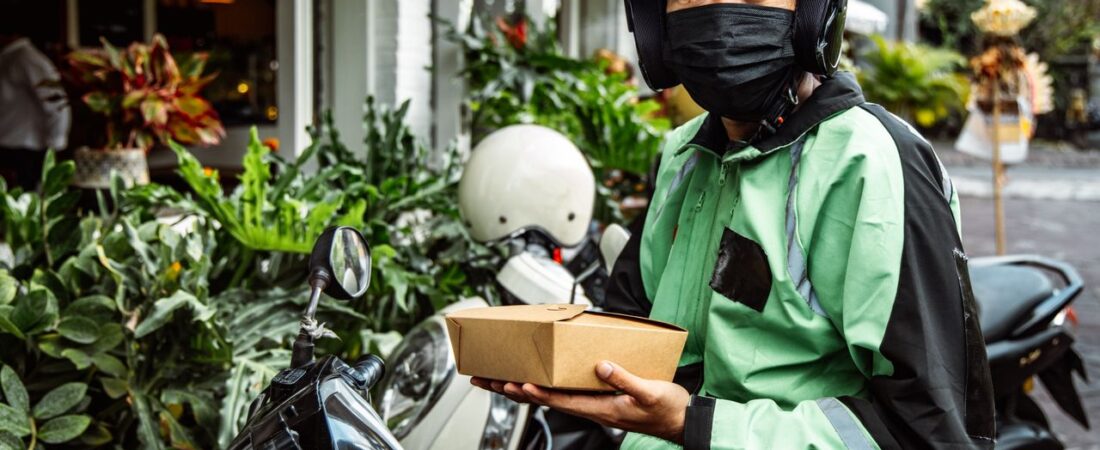


Every delivery driver knows the feeling. You pull up to a dark apartment building at 10 PM, grab the order, and hope the customer doesn’t claim they never received it. Or you merge onto a busy Houston freeway and watch a car swerve into your lane. Or a customer reports you for “rude behavior” when you were perfectly polite, and suddenly your ratings drop and your account is flagged.
Driver Opportunity
Want to Earn While You Read?
Join as a new driver and get up to a $2,575 guaranteed bonus after completing your first 200 deliveries in select US cities.
Start Earning Now →New drivers only · Terms apply · Available in select cities
These scenarios happen every single day to DoorDash, Uber Eats, Spark, Instacart, and Amazon Flex drivers across the United States. And in 2026, more drivers than ever are fighting back with the most powerful tool available: dashcams and bodycams.
This complete guide covers everything you need to know about using cameras as a delivery driver — from choosing the right equipment to handling disputes, protecting your privacy, and even lowering your insurance premiums.
Why Every Delivery Driver Needs a Dashcam in 2026
The gig economy is built on trust, but trust isn’t always enough. Dashcam footage has become the single most valuable piece of evidence a driver can have when disputes arise. Here’s why experienced drivers in cities like Chicago, New York, Los Angeles, Dallas, and Austin swear by them:
Protection Against False Reports
Every delivery platform has a customer rating system, and a single false report can damage your account. Customers sometimes claim food was never delivered, that the driver was rude, or that items were damaged. With dashcam footage showing the drop-off timestamp and interaction, you have undeniable proof of what actually happened. Drivers who use dashcams report resolving deactivation threats in hours instead of weeks.
Accident Evidence
Delivery drivers spend 6-10 hours per day on the road, often in unfamiliar neighborhoods. Rear-end collisions at stoplights, hit-and-runs in parking lots, and insurance fraud attempts are common. A quality dashcam records everything in high definition, giving you and your insurance company clear footage of any incident. This can save you thousands in deductible costs and prevent your insurance rates from skyrocketing.
Proof of Delivery for High-Value Orders
Walmart Spark orders, large Instacart batches, and premium DoorDash deliveries can exceed $100 in value. When a customer claims they didn’t receive their $200 grocery order, a dashcam facing the delivery area clearly shows you placing the bags at the correct door. Platforms are far more likely to side with drivers who provide timestamped video evidence.
Types of Dashcams for Delivery Drivers
Not all dashcams are created equal, and what works for a commuter may not work for a delivery driver who parks, exits, and re-enters their vehicle dozens of times per shift. Here are the main categories:
Front-Facing Dashcams
The most basic and affordable option. A front-facing camera mounts to your windshield or dashboard and records the road ahead. These are excellent for accident documentation but won’t help with delivery disputes since they don’t capture the side or rear of your vehicle. Expect to pay $50-$150 for a reliable model. VIOFO, Garmin, and Rove are trusted brands among delivery drivers.
Front and Rear Dashcams
A dual-camera setup records both the road ahead and what’s happening behind your vehicle. For delivery drivers, this is a significant upgrade — the rear camera can capture drop-offs at your trunk or hatchback, which is where many deliveries are placed. A good dual-cam system runs $120-$250. The VIOFO A129 Pro Duo and the Thinkware F200 Pro are popular choices in the gig worker community.
360-Degree Dashcams
Some drivers opt for three-channel systems that cover front, rear, and interior. Interior-facing cameras are particularly useful for Uber and Lyft drivers who carry passengers, but they can also help food delivery drivers prove they were wearing the correct uniform, following health protocols, or that a restaurant bag was sealed when picked up. These systems cost $200-$400 and require professional installation in many cases.
Bodycams for Delivery Drivers: A Growing Trend in 2026
While dashcams cover your vehicle, bodycams cover you when you’re on foot — walking up driveways, entering apartment buildings, and handing orders to customers. Bodycams have surged in popularity among delivery drivers over the past two years, and for good reason.
When a Dashcam Isn’t Enough
A dashcam can only see what’s near your vehicle. If you walk 50 feet to deliver to a sixth-floor apartment, there’s a gap in your footage. Bodycams worn on your chest, collar, or hat close that gap completely. They record the entire interaction from your perspective, including the hand-off itself — which is the moment most disputes center on.
Top Bodycam Models for Delivery Work
Narrative Clip Wearable: Budget-friendly option at around $80, clips to your shirt or bag strap. Captures HD video and has a simple one-button operation — perfect for drivers who don’t want to fiddle with settings mid-delivery.
GoPro Hero 12 Black (Mini Chest Mount): More expensive at $300, but offers exceptional video quality, image stabilization, and a wide field of view. Many drivers mount these on a chest harness for hands-free recording that captures the entire delivery process.
Transcend DrivePro Body 30: Designed specifically for security professionals, this bodycam features a rotating clip, 1080p recording, and a 6-hour battery life that covers most shifts. At $150-$180, it’s a middle-ground option that balances cost with professional-grade features.
How to Choose the Right Camera Setup for Your Delivery Style
The best camera setup depends on which platforms you drive for and where you deliver. Here’s a platform-by-platform breakdown:
DoorDash and Uber Eats Drivers
For restaurant delivery drivers, a front dashcam plus a bodycam is the ideal combination. The dashcam covers road incidents, while the bodycam records the hand-off. Given that most disputes involve “order not received” claims, the bodycam is arguably more important for food delivery drivers. Look for a setup that costs around $200-$350 total. DoorDash drivers in Los Angeles and New York City report the highest ROI from bodycams because of high-density apartment deliveries.
Spark and Instacart Drivers
Shopping delivery drivers face different challenges — larger orders, longer hand-off times, and more customer interactions. A rear-facing dashcam is essential for these drivers because groceries are typically unloaded from the trunk or back seat. Combined with a bodycam, this setup leaves no room for dispute. Spark drivers in Houston and Dallas, where Walmart orders are common, particularly benefit from rear-camera coverage of large grocery drop-offs.
Amazon Flex Drivers
Flex drivers deliver packages to multiple stops per route, often leaving items at doors without customer interaction. A front dashcam for road safety and a bodycam for proof of delivery is the standard recommendation. Some drivers wear the bodycam on a lanyard so it automatically records as they walk to each stop. Flex drivers in Chicago and Austin neighborhoods with apartment complexes find bodycams especially valuable for proving package placement.
Legal Considerations for Delivery Driver Cameras
Before you start recording, it’s important to understand the legal landscape around dashcams and bodycams in the United States. The rules vary by state, and violating them can create more problems than they solve.
One-Party Consent States
In the majority of US states, only one party needs to consent to a recording. Since you’re that party, you can legally record audio and video of any interaction you’re part of. This covers most delivery scenarios in states like Texas (Dallas, Houston, Austin), New York, California (Los Angeles), Illinois (Chicago), Florida, Georgia, and Ohio.
Two-Party Consent States
Eleven states require all parties to consent to audio recording: California, Connecticut, Florida, Illinois, Maryland, Massachusetts, Montana, New Hampshire, Pennsylvania, Oregon, and Washington. In these states, you can still record video without audio, but recording conversations without the customer’s knowledge is illegal. Many drivers in these states use cameras that record video only, or post a small sign in their delivery bag or on their vehicle notifying customers that recording is in progress.
Platform Policies
DoorDash, Uber Eats, Spark, and Instacart all allow dashcams and bodycams, but none of them explicitly endorse or reimburse them. However, all four platforms accept video evidence during deactivation appeals and dispute resolution. Amazon Flex specifically mentions in its terms that drivers may use recording equipment as long as they comply with local laws. It’s worth reviewing your specific platform’s terms of service annually, as policies can change.
How to Use Dashcam Footage in Deactivation Appeals
If your account is deactivated or threatened with deactivation, having organized footage can be the difference between reinstatement and losing your income stream. Here’s the process successful drivers use:
Step 1: Save and Label Footage Immediately
Don’t wait until you receive a deactivation notice. If a delivery feels contentious — a customer seems upset, or there’s any disagreement about the drop-off location — save that footage immediately. Most dashcams use loop recording and will overwrite old footage after a set period. Create a folder system on your computer organized by date and platform.
Step 2: Extract the Relevant Clip
Your dashcam or bodycam likely records in 5-10 minute segments. Extract the specific 1-2 minute window that covers the contentious delivery. Most cameras come with free software for this, or you can use free tools like DaVinci Resolve or Shotcut. Name the file with the date, time, and delivery platform for easy reference.
Step 3: Upload to Cloud Storage
When filing an appeal, you’ll need a shareable link to your footage. Upload the clip to Google Drive, Dropbox, or YouTube (set to unlisted) and include the link in your appeal. Platforms generally accept video links in their support ticket systems. Make sure the clip clearly shows the delivery being completed correctly.
Step 4: Reference the Footage in Your Appeal
Write a concise appeal that references the footage: “I have dashcam footage from [time/date] confirming that the delivery was placed at the correct address at [timestamp]. The video is available here: [link].” Support teams process appeals with video evidence significantly faster than those without it.
Tax Deductions for Your Dashcam Setup
Here’s some good news for delivery drivers: your dashcam and bodycam setup is 100% tax deductible as a business expense. The IRS allows you to deduct equipment that is “ordinary and necessary” for your business, and safety equipment for a delivery business certainly qualifies.
What You Can Deduct
- The purchase price of the dashcam and bodycam
- Mounting kits, adhesive, and installation supplies
- Memory cards (you’ll need high-endurance cards rated for continuous recording)
- Extra batteries and charging cables
- Cloud storage subscriptions for footage backup
- Any software used to manage or edit footage
How to Claim It
Save all receipts and claim the total under “Supplies” or “Equipment” in your Schedule C (Form 1040) tax return. If you use the standard mileage deduction ($0.725 per mile in 2026), equipment is still deductible as a separate expense. If you use the actual expense method, include camera costs under vehicle-related or general business expenses. A $250 dashcam setup that prevents even one false deactivation pays for itself dozens of times over.
Real Driver Experiences with Dashcams and Bodycams
Drivers who’ve made the investment consistently report that cameras pay for themselves quickly. Here are real stories from gig workers across the US:
Marcus, DoorDash Driver — Houston, TX: “I spent $180 on a VIOFO dual-cam system after a customer claimed I never delivered a $90 catering order. The rear camera clearly showed me placing the bags at their back door. DoorDash reviewed the footage and removed the violation from my account in under 24 hours. That single incident saved me from potential deactivation.”
Jessica, Spark Driver — Dallas, TX: “I deliver Walmart orders and the average batch is around $75. After a customer claimed half their groceries were missing, I invested in a Transcend bodycam. Now I record every hand-off, especially for large orders. Spark’s support team resolved my last dispute in two hours. The bodycam cost $160. I’ve already resolved three disputes that could have cost me hundreds in lost pay.”
Andre, Uber Eats and DoorDash — Chicago, IL: “I drive nights in Chicago and my number one concern is safety. I use a front dashcam for traffic incidents and a bodycam on a chest mount for deliveries. The bodycam has another benefit — I think customers are less likely to make false claims when they see a camera. My ratings have actually improved since I started wearing it visibly. Plus, I caught someone trying to break into my car on camera and the police used my footage to make an arrest.”
Priya, Amazon Flex — Austin, TX: “I deliver packages to apartment complexes where customers often claim packages never arrived. My GoPro chest mount setup records every drop-off. I’ve won four disputes this year alone. Amazon Flex support actually complimented my organized evidence folder. The setup paid for itself in the first month.”
Setting Up Your Dashcam for Maximum Protection
A poorly positioned dashcam is almost useless. Follow these tips to get the most out of your equipment:
Positioning Your Front Dashcam
Mount the camera behind your rearview mirror on the passenger side — this keeps it out of your direct line of sight while providing a clear view of the road. Angle it slightly downward so it captures both the road ahead and the front edge of your vehicle (important for proving you stopped at stop signs or traffic lights). In states with tinted windshields, place the camera near the bottom center of the windshield for the clearest image.
Positioning Your Bodycam
Chest-mounted cameras on a harness produce the most stable footage while keeping your hands free. If you prefer a smaller setup, clip the camera to the shoulder strap of a delivery bag. For drivers who switch between multiple vehicles, a clip-on bodycam is more practical than a permanent dashcam installation.
Managing Storage and Power
Delivery shifts can run 8-12 hours. Make sure your camera has enough storage for a full shift — a 256GB high-endurance microSD card is recommended. Hardwire your dashcam to the vehicle’s fuse box for continuous power, or use an extended battery pack. Cord management matters; drape cables along the headliner and A-pillar trim for a clean, professional look that won’t distract you while driving.
Where to Buy Dashcams and Bodycams for Delivery Work
Most dashcams and bodycams can be purchased from major retailers, but delivery drivers in specific cities may have unique options:
- Best Buy: Carries VIOFO, Garmin, and Thinkware in-store in most major US cities. Their Geek Squad can also handle professional hardwiring.
- Amazon: Wide selection with user reviews from other delivery drivers. Look for “delivery driver” in the reviews section for platform-specific advice.
- Walmart: Budget-friendly options for drivers on a tighter budget, though selection varies by location.
- Crutchfield: Excellent customer support and professional installation guides for more complex setups.
Recommended starter budget: $200 for a front dashcam and bodycam combination. This gets you reliable protection without overinvesting before you know what works for your specific delivery routine.
Start Earning More with Uber Eats
New drivers in select US cities can earn up to $2,575 after completing their first deliveries. Dashcam or bodycam not required to start — but you’ll want one once you see how much you’re earning.
Sign Up for Uber Eats & Earn Up to $2,575 →Ready to Start?
Turn This Guide Into Real Income
Thousands of drivers are already earning with delivery gigs. New drivers can get up to a $2,575 guaranteed bonus after their first 200 deliveries in select US cities.
Sign Up & Start Delivering →New drivers only · Terms apply · Available in select cities
Terms apply. Available in select US markets. New drivers only. Must be 19+ (21+ in some cities).