
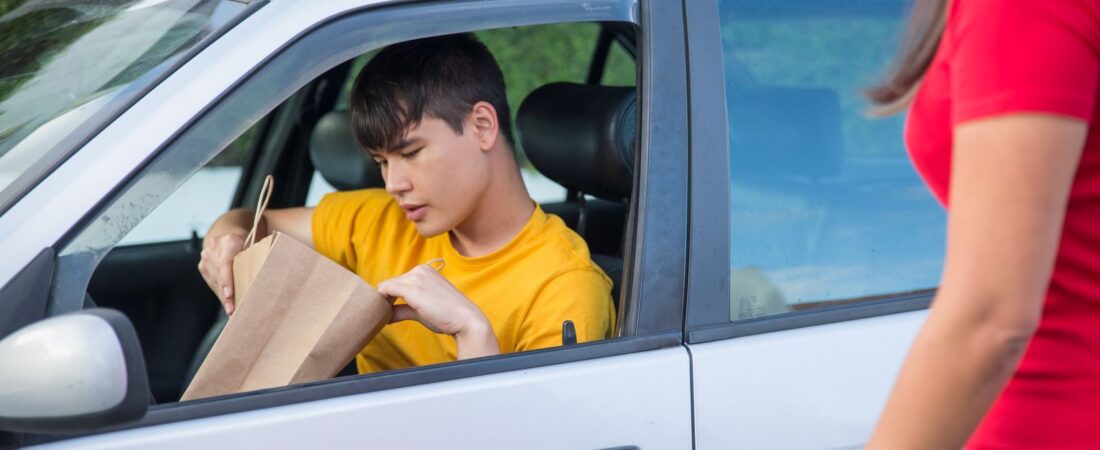

Your phone is the single most important tool you carry as a delivery driver. Without it, you cannot see orders, navigate to customers, mark deliveries as complete, or contact support. A dead battery mid-shift means lost earnings, missed bonuses, and frustrated customers. This guide covers everything you need to know about keeping your phone powered through the longest shifts, including the best power banks, car chargers, and battery-saving strategies for 2026.
Driver Opportunity
Want to Earn While You Read?
Join as a new driver and get up to a $2,575 guaranteed bonus after completing your first 200 deliveries in select US cities.
Start Earning Now →New drivers only · Terms apply · Available in select cities

Why Battery Life Matters More Than Ever for Delivery Drivers
Modern delivery apps demand constant screen-on time. DoorDash, Uber Eats, Spark, and Instacart all require GPS navigation running in the background, push notifications for new orders, and frequent screen interaction to accept or decline batches. Add in Bluetooth connections for hands-free calling, mobile hotspot use, and the occasional video or music streaming while you wait, and your phone’s battery drains fast.
Most flagship smartphones from 2023-2025 have batteries rated for 8-12 hours of mixed use. But “mixed use” for a delivery driver means the screen is on for 60-80% of your shift, GPS is active the entire time, and cellular data is constantly communicating with app servers. In real-world testing by drivers in Houston, Chicago, and Los Angeles, an iPhone 15 Pro or Samsung Galaxy S24 lasts only 4-5 hours of continuous delivery work before hitting 20% battery.
What to Look for in a Power Bank for Delivery Driving
Not all power banks are created equal, and the one you keep in your backpack or glove compartment should meet specific delivery-driver needs. Here are the key features to consider:
Capacity: 10,000mAh vs 20,000mAh vs 30,000mAh
10,000mAh is the minimum viable capacity for a delivery driver. It provides roughly 1.5-2 full charges for most modern smartphones. These are compact enough to fit in a pocket or small cup holder, making them ideal for bike couriers and walkers who want to minimize bulk. The Anker PowerCore 10000 (about $25) is a popular choice among DoorDash drivers in Austin and Denver.
20,000mAh is the sweet spot for full-time drivers. It delivers 3-4 full charges, enough to cover a 10-12 hour shift even with heavy GPS use. These are slightly larger — about the size of a deck of cards — but still fit easily in a delivery bag or center console. The INIU B6 20000mAh and Anker PowerCore 20100 are top-rated models used by Uber Eats drivers in New York City and Chicago.
30,000mAh and above is overkill for most drivers unless you are running multiple phones (some multi-app runners use two devices) or sharing power with a co-driver. These are heavy (over a pound) and take up significant bag space.
Output Power: Speed Matters
Look for power banks with at least 20W USB-C Power Delivery (PD) output. This is the minimum required for fast charging on recent iPhones (iPhone 13 and newer support 20-27W) and most Android phones (Samsung Galaxy S24 supports 25W, Google Pixel 8 supports 30W). A power bank that only outputs 5W or 10W will charge your phone so slowly that it may barely keep pace with the drain from GPS and screen-on use.
For drivers using Samsung phones with 45W charging support (Galaxy S24 Ultra, S23 Ultra), look for a power bank that supports Super Fast Charging 2.0 (PPS). The Anker PowerCore+ 26800 with 45W PD is one of the few that delivers this speed.
Ports: Multiple Devices, One Power Bank
If you run multiple apps on separate phones, or if you carry a secondary device for navigation, look for a power bank with at least two output ports. The ideal configuration is one USB-C PD port for fast charging your primary phone and one USB-A port for your secondary device or a Bluetooth headset case. Some drivers in Los Angeles report using the Baseus 65W 20000mAh power bank, which has two USB-C and one USB-A port, to charge both their DoorDash phone and their Spark phone simultaneously.
Best Car Chargers for Delivery Drivers
If you deliver primarily by car (DoorDash, Uber Eats, Amazon Flex), a power bank may be less critical if you have a reliable car charger — but only if your car charger can keep up with the phone’s power draw while navigation and apps are running. Many older 12V chargers output only 5W or 10W, which is not enough to charge a phone faster than GPS drains it.
Fast Car Charger Recommendations
Anker PowerDrive 2 (24W total, 12W per port): A reliable dual-port USB-A charger that works well for older phones or light use. Priced around $15. It will slow the drain but may not fully charge your phone during heavy GPS use.
UGREEN 30W USB-C Car Charger: A single USB-C PD port delivering 30W — enough to fast-charge most phones even while navigating. Around $18.
Spigen 45W USB-C Car Charger: Dual USB-C ports (45W + 20W) that can fast-charge two phones simultaneously. Ideal for multi-app drivers who run both DoorDash and Uber Eats on separate devices. Around $25.
Baseus 65W Car Charger: The gold standard for power users. It has two USB-C PD ports (65W total) and one USB-A port. It can fast-charge a Samsung Galaxy S24 Ultra (45W) while also charging an iPhone (20W). The 65W total output means both devices charge at full speed simultaneously. Priced around $30.
Phone Battery Saving Tips for Long Shifts
Hardware is only half the battle. Here are proven settings and habits that experienced delivery drivers use to stretch battery life through a full shift:
Lower Screen Brightness
Your screen is the single biggest battery drain. Most drivers keep their phone at 40-50% brightness during the day and even lower at night. On an iPhone, enable Auto-Brightness in Settings > Accessibility > Display & Text Size. On Android, use Adaptive Brightness. Every 10% reduction in brightness can add 30-45 minutes of screen-on time.
Turn Off Unnecessary Connections
Bluetooth, Wi-Fi, and mobile hotspot all drain battery even when not actively used. If you are not connected to a car infotainment system or a Bluetooth headset, turn Bluetooth off. If you are driving through areas with known Wi-Fi networks (urban neighborhoods, apartment complexes), your phone will constantly scan for available networks — turn Wi-Fi off unless you need it. Many delivery drivers in New York City and Chicago report gaining an extra hour of battery life simply by disabling Wi-Fi during their shift.
Close Background Apps
Social media apps (TikTok, Instagram, Facebook) are notorious for running background processes that drain battery. Close them entirely. Also disable background app refresh for apps that do not need it: weather apps, news apps, games. On iPhone: Settings > General > Background App Refresh. On Android: Settings > Apps > [App Name] > Battery > Background restriction.
Use Battery Saver Mode
Both iOS and Android have battery saver modes that reduce performance, lower screen brightness, and pause background activities. On iPhone, Low Power Mode can be toggled from Control Center or set to activate automatically at 20%. On Samsung phones, the built-in Power Saving mode similarly extends battery life. Some drivers in Dallas report that enabling battery saver mode from the start of a shift (rather than waiting for 20%) adds 2+ hours of usable delivery time.
Turn Off Haptic Feedback and Vibration
Every haptic buzz for an incoming order notification or navigation instruction consumes battery. While you need to feel notifications for new orders, consider turning off haptic feedback for keyboard typing, system navigation, and other non-essential interactions. On iPhone: Settings > Sounds & Haptics > System Haptics (off). On Android: Settings > Sound & Vibration > Vibration & Haptic Strength.

Power Management by Delivery Platform
DoorDash
The DoorDash Dasher app is relatively battery-efficient compared to other platforms, but it keeps the screen on while you are active on a delivery. In 2026, DoorDash added a “Background Mode” option that dims the screen and uses voice prompts after you accept an order — enable this in the app’s Settings > Display options. Drivers in Houston report that this feature alone saves 15-20% battery per 8-hour shift.
Uber Eats
Uber Eats is known for being more battery-intensive because it maintains a constant GPS location ping even when you are idle. The app also uses significant data for map rendering. Drivers in Chicago recommend force-closing and reopening the Uber Eats app once every 2-3 hours to clear accumulated cache data, which can reduce battery drain by 10-15%.
Spark Driver (Walmart)
Spark’s app is the most demanding of the major platforms because it uses a full map interface that constantly refreshes with new offers, store inventory updates, and trip status changes. Spark drivers in Los Angeles and Dallas strongly recommend carrying a power bank even if you have a car charger, because the combination of Spark + GPS navigation can drain a phone in under 3 hours.
Instacart
Instacart’s shopper app uses the camera extensively for scanning barcodes and taking photos of delivery proof. Camera use is one of the highest-drain features on any phone. If you do Instacart orders, keep a power bank within easy reach — not in the trunk or a zipped bag — and plug in between batches.
Budget-Friendly Power Banks under $30
Not every driver wants to spend $50+ on charging gear. Here are reliable, affordable options that work well for delivery work:
- Anker PowerCore 10000 (21W) — $22: Compact, reliable, 2-amp output. Good for bike couriers or short shifts.
- INIU B6 20000mAh (20W PD) — $26: The best value for full-time drivers. Includes a USB-C cable and supports pass-through charging.
- Miady 16000mAh Dual USB-A (15W total) — $18: Budget pick. Slower charging but enough to prevent battery drain on a 6-hour shift.
- Anker PowerCore 20100 (24W) — $30: Proven reliability with 3 full charges for most phones.
Essential Accessories for Delivery Drivers
Beyond the power bank and car charger itself, a few accessories can make a big difference in your daily charging routine:
Short, High-Quality Cables
A 6-foot charging cable seems convenient, but it tangles in the center console, catches on the gear shift, and takes up space. Most delivery drivers prefer 1-foot or 3-foot braided USB-C cables — they stay tidy, charge faster (shorter cable = less resistance = slightly faster charging), and last longer than the cheap rubber cables that crack in summer heat. Anker and Belkin both make braided 3-foot cables for around $8-10.
Magnetic Phone Mount with Built-in Charger
If you drive a car for deliveries, a magnetic phone mount that doubles as a wireless charger (MagSafe for iPhone, or a magnetic ring + Qi charger for Android) keeps your phone visible for navigation while charging at the same time. The ESR HaloLock is popular among DoorDash drivers in Austin and costs about $25. For Android users, the iOttie Velox Magnetic Wireless Charger ($35) works with any phone that has a magnetic ring sticker attached.
Battery Case as a Backup
A battery phone case (like the Mophie Juice Pack or an off-brand equivalent) adds 80-100% extra battery directly to your phone. These are bulkier than a slim case, but they eliminate the need to carry a separate power bank and cable. Many Uber Eats drivers in New York City swear by them because they never have to think about charging mid-shift — the case just works. Expect to pay $40-70 depending on your phone model.
City-by-City: What Drivers Actually Use
We surveyed delivery drivers across several major US markets to find out what charging setup they rely on daily:
Houston, TX: Heat is the enemy of batteries. Drivers in Houston report that phones overheat and stop charging when left on the dashboard in direct sunlight. The most common setup is a 20,000mAh power bank kept in the center console (out of the sun) with a 1-foot cable running to a magnetic vent mount. Popular power bank: Anker PowerCore 20100.
New York City, NY: Bike couriers dominate. Most use compact 10,000mAh power banks in their delivery backpacks. Walking couriers prefer battery cases because they eliminate loose cables. Popular model: Anker PowerCore 10000 and Mophie Juice Pack.
Chicago, IL: Cold weather kills battery life fast. Drivers in Chicago report that phones can lose 30-50% battery in 2 hours during winter because lithium-ion batteries perform poorly below freezing. The most common strategy is keeping the phone plugged into a car charger at all times (even when not driving, with the engine on to keep charging) plus carrying a 20,000mAh power bank as backup. Popular model: INIU B6 20000mAh.
Los Angeles, CA: Multi-app drivers with long commutes between zones. Two-device setups are common. The Baseus 65W car charger (simultaneously fast-charging both phones) is the top pick. LA drivers also use 30,000mAh power banks for all-day shifts without returning home.
Dallas, TX: Mixed car and bike drivers. Most use a 20,000mAh power bank plus a fast car charger. Dallas drivers emphasize cable durability — the summer heat destroys cheap cables in weeks. Braided nylon cables from Anker or Belkin are standard.
When You Forget Your Power Bank: Emergency Charging Hacks
Even the most prepared driver forgets their charger sometimes. Here are real-world emergency strategies from experienced gig workers:
- Use Airplane Mode between orders: Between accepting an order and arriving at the restaurant, toggle Airplane Mode for 3-5 minutes. Your phone stops searching for signal (a major battery drain) and the delivery app still keeps your active order in memory. Just remember to turn Airplane Mode off before you arrive — no signal means you cannot mark the order as picked up or delivered.
- Ask the restaurant to charge your phone: Many fast-food restaurants and coffee shops allow delivery drivers to plug in while waiting. Chipotle, Starbucks, and McDonald’s locations in Chicago and Dallas are reportedly driver-friendly about this. Always ask permission first and stay near your phone.
- Buy a cheap charger at a gas station: A 7-Eleven or Circle K car charger costs $10-15 and will at least slow the drain. Not a long-term solution, but it can save a shift.
- Turn off 5G: 5G consumes significantly more battery than 4G/LTE because the phone constantly searches for signal in areas with spotty 5G coverage. Switching to LTE-only can add 30-60 minutes of battery life. iPhone: Settings > Cellular > Voice & Data > LTE. Android: Settings > Connections > Mobile Networks > Network Mode > LTE/4G.
Final Verdict: The Best Charging Setup for 2026
After testing equipment and surveying drivers across five major US delivery markets, here is our recommended setup for every type of delivery driver:
Car delivery drivers (DoorDash, Uber Eats, Amazon Flex): A 45W+ USB-C car charger (Baseus 65W or Spigen 45W) plus a 20,000mAh power bank as backup (INIU B6 or Anker PowerCore 20100). Total cost: $50-60. This setup keeps your phone charged through any shift length.
Bike couriers: A compact 10,000mAh power bank (Anker PowerCore 10000, $22) with a short braided cable stored in your backpack. Alternatively, a battery phone case for maximum convenience. Total cost: $22-50.
Walking/on-foot couriers: A battery phone case is the best option — no cables to manage, no extra bulk in your hand. If a battery case is not available for your phone, the Anker PowerCore 10000 with a 1-foot cable clipped to your belt or waistband.
Multi-app drivers (2+ phones): The Baseus 65W car charger (two USB-C PD ports) plus a 30,000mAh power bank for when you are outside the car. Total cost: $55-70.
Get Paid More with Uber Eats
New drivers in select US cities can earn up to $2,575 after completing their first 200 deliveries. Sign up today and start earning.
Claim Your $2,575 Bonus → Learn More at uber.com
Ready to Start?
Turn This Guide Into Real Income
Thousands of drivers are already earning with delivery gigs. New drivers can get up to a $2,575 guaranteed bonus after their first 200 deliveries in select US cities.
Sign Up & Start Delivering →New drivers only · Terms apply · Available in select cities
Terms apply. Offer available in select US markets. New drivers only.