
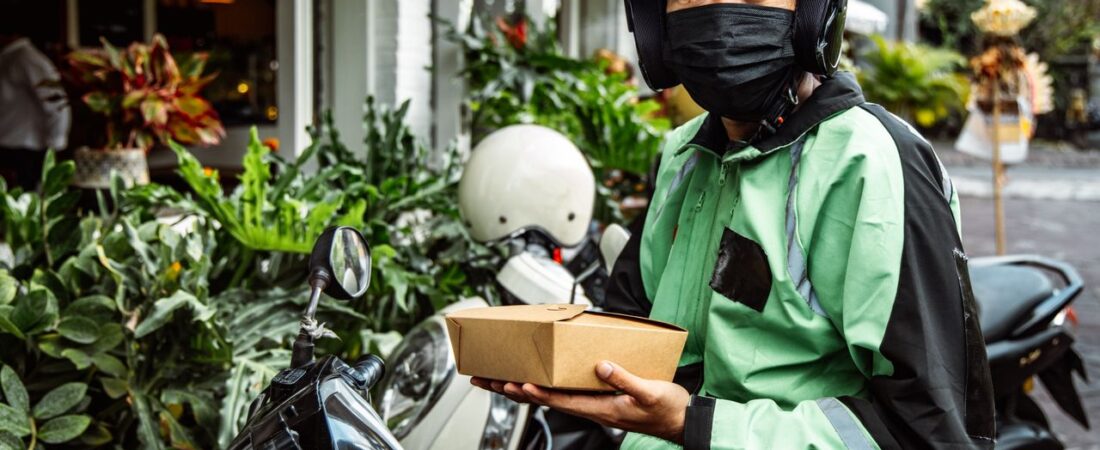

Your delivery driver account is your paycheck. When it gets hacked, you don’t just lose a few dollars — you lose your ability to earn. In 2026, phishing scams targeting DoorDash, Uber Eats, Spark Driver, Amazon Flex, and Instacart drivers are more sophisticated than ever. Hackers are stealing login credentials, rerouting direct deposits, and even taking over entire accounts.
If you deliver in Houston, Dallas, Austin, NYC, Chicago, or Los Angeles, you are a prime target. Gig worker accounts are valuable on the black market because they come with active payment methods, stored earnings, and platform access.
This guide covers exactly how delivery drivers get hacked, how to spot phishing attempts, and most importantly — how to protect your gig accounts so you never wake up to a zero balance.
Why Delivery Driver Accounts Are Targeted in 2026
Hackers target gig worker accounts for one simple reason: money. Your DoorDash or Uber Eats account is connected to a debit card, direct deposit info, and often a linked bank account. Once compromised, hackers can:
- Cash out your pending earnings to their own accounts
- Change your payout method and redirect future payments
- Sell your verified account to other drivers on the black market
- Use your account to commit fraud, getting you permanently deactivated
- Access your personal information, including your SSN, address, and driver’s license number
In 2025, over 40,000 gig worker accounts were compromised in credential-stuffing attacks alone, according to industry security reports. The number is expected to rise in 2026 as more drivers join platforms like Spark Driver and Amazon Flex.
Common Ways Delivery Driver Accounts Get Hacked
1. Phishing Emails and Text Messages
This is the #1 method hackers use to steal delivery driver credentials. You receive an email or text that looks like it’s from DoorDash, Uber, or Spark, asking you to “verify your account” or “update your payment info.” The link takes you to a fake login page that looks identical to the real one. When you enter your credentials, the hacker captures them.
Legitimate platforms will never ask you to click a link and enter your password. If you get a message asking you to “verify your account immediately,” it’s a scam. Always open the app directly, not through a link in an email or text.
2. Fake “Support” Phone Calls
Hackers call you posing as DoorDash or Uber support. They might know your name, your city (Houston, Chicago, LA, etc.), and even your approximate earnings. They claim there’s a “problem with your account” and ask for your login code or password to “fix it.”
DoorDash, Uber Eats, Spark, and Amazon Flex will never call you asking for your password or verification code. If someone calls claiming to be support and asks for sensitive info, hang up immediately and report it through the app.
3. Credential Stuffing
If you use the same password for your delivery accounts that you use for other websites, you are vulnerable to credential stuffing. Hackers buy leaked passwords from other sites (like LinkedIn, Facebook, or Adobe breaches) and try them on DoorDash, Uber, and Spark. If you reused your password, they get in.
In 2025 alone, over 4 billion credentials were leaked in data breaches. If your email and password combination appeared in any of those leaks, hackers are actively trying it on gig platforms right now.
4. Fake Driver Referral Links
Another common tactic targets drivers looking to earn referral bonuses. Hackers create fake referral landing pages that look like official DoorDash or Uber signup pages. When you log in to “claim your bonus,” they capture your credentials.
5. SIM Swapping
If a hacker has enough of your personal information, they can contact your mobile carrier, impersonate you, and transfer your phone number to a SIM card they control. Once they have your phone number, they can reset your DoorDash or Uber account password using SMS-based two-factor authentication.
Warning Signs Your Delivery Account Has Been Hacked
Catching an account takeover early can mean the difference between losing $50 and losing $3,000. Watch for these red flags:
- Unexpected password reset emails — If you get a password reset email you didn’t request, someone is trying to access your account
- Changed payout methods — Your bank account or debit card on file has been changed without your knowledge
- Missing earnings — Your weekly payout shows a lower amount than you expected, or you see cash-outs you didn’t make
- Login from unknown locations — Your account shows logins from cities where you don’t live or deliver
- Orders you didn’t accept — Someone is using your account to accept deliveries in another city
- Can’t log in — Your password suddenly stops working, and the “forgot password” email goes to an unfamiliar address
Step-by-Step: What to Do If Your Account Is Hacked
Step 1: Change Your Password Immediately
If you still have access to your account, change your password right away. Use a strong, unique password that you don’t use anywhere else. A good password should be at least 16 characters long, include numbers and symbols, and not contain any personal information like your name or birthday.
Step 2: Contact Platform Support
For DoorDash, contact dasher support through the app or call 1-855-973-1040. For Uber Eats / Uber, use the in-app support chat. For Spark Driver, call 1-877-641-0932. For Amazon Flex, contact driver support at 1-877-472-7659. Tell them your account has been compromised and ask them to freeze it while you investigate.
Step 3: Check Your Payment Methods
Look at your payout settings. Has the bank account or debit card been changed? If a new payment method exists that you didn’t add, screenshot it and report it to support. Ask them to reverse any fraudulent cash-outs if possible.
Step 4: Enable Two-Factor Authentication (2FA)
If you haven’t already, enable two-factor authentication on every gig platform you use. DoorDash, Uber, Spark, and Amazon Flex all offer 2FA. Use an authenticator app (like Google Authenticator or Authy) instead of SMS when possible — SMS-based 2FA is vulnerable to SIM swapping.
Step 5: Check Your Email Account
If the hacker changed your account email, they likely accessed your email account first. Change your email password immediately, enable 2FA on your email, and check for any forwarding rules the hacker may have set up to hide their activity.
Step 6: Scan Your Devices for Malware
Run a full antivirus scan on your phone and computer. Keyloggers and spyware can capture your passwords as you type them. Use reputable security software and make sure your phone’s operating system is up to date.
Step 7: Monitor Your Bank Accounts
The hacker may have access to your linked bank account information. Monitor your checking account for unauthorized transactions. If you see anything suspicious, contact your bank immediately.
How to Prevent Account Hacking: 10 Security Tips for Delivery Drivers
1. Use a Password Manager
Stop reusing passwords. A password manager like Bitwarden, 1Password, or LastPass generates and stores unique, complex passwords for every account. You only need to remember one master password. This eliminates credential stuffing attacks entirely.
2. Enable 2FA on Every Platform
Two-factor authentication adds a second layer of security beyond your password. Even if a hacker gets your password, they can’t log in without the 2FA code. Use an authenticator app, not SMS, for the strongest protection.
3. Never Click Links in Unexpected Messages
If you receive an email or text about your account, do not click any links. Instead, open the official app or type the platform’s URL directly into your browser. DoorDash’s real login page is login.doordash.com, not some random URL with “doordash” in it.
4. Verify Support Calls by Calling Back
If someone calls claiming to be from DoorDash or Uber support, tell them you’ll call back. Hang up, open the app, and call the real support number listed in the app’s help section. If it was a legitimate call, the support agent will have a record of it.
5. Use a Separate Email for Gig Accounts
Create a dedicated email address that you only use for your delivery driver accounts. This reduces the chance that your gig account email appears in a data breach from another service. Use a strong, unique password on this email too.
6. Review Your Account Activity Regularly
Check your login history, payout methods, and recent deliveries at least once a week. Early detection is your best defense. DoorDash, Uber, and Spark all have activity logs in your account settings.
7. Never Share Your Login Code
No legitimate platform support agent will ever ask for your 2FA code or SMS verification code. If anyone asks for it, they are trying to access your account. This includes people claiming to be from “DoorDash security” or “Uber account verification.”
8. Keep Your Apps Updated
Outdated apps have security vulnerabilities that hackers can exploit. Make sure your DoorDash, Uber Driver, Spark Driver, and Amazon Flex apps are always updated to the latest version through your phone’s app store.
9. Be Careful on Public Wi-Fi
When you’re waiting for orders at restaurants or in hotspot parking lots in cities like Austin, Dallas, or Los Angeles, avoid logging into your delivery accounts on public Wi-Fi networks. Hackers can intercept your traffic on unsecured networks. Use your phone’s cellular data or a VPN instead.
10. Lock Your Phone When Not in Use
This sounds basic, but many drivers leave their phones unlocked while making deliveries. If your phone is lost or stolen, an unlocked device gives the finder immediate access to all your gig accounts. Use a strong PIN or biometric lock.
What to Do If You’ve Been a Victim of Account Theft
If your delivery driver account has already been hacked and you’ve lost earnings, here’s what you need to do:
File a police report. Even if the amount is small, a police report creates an official record. You’ll need it to dispute unauthorized transactions with your bank and to prove to platform support that you were defrauded.
Report it to the FTC. Go to IdentityTheft.gov and file a report. The Federal Trade Commission tracks gig economy fraud and your report helps them build cases against scammers.
Freeze your credit. If the hacker accessed your personal information (SSN, driver’s license), place a fraud alert or credit freeze with all three bureaus: Equifax, Experian, and TransUnion. This prevents them from opening new accounts in your name.
Contact your bank. If your gig platform linked bank account was compromised, call your bank’s fraud department. They can help reverse unauthorized transactions and issue new debit cards.
Document everything. Keep screenshots of suspicious emails, texts, account changes, and conversations with support. This documentation is crucial for recovering lost earnings and proving your identity to the platform.
DoorDash, Uber Eats, Spark & Amazon Flex: Platform-Specific Security Features
DoorDash
DoorDash offers two-factor authentication in your account settings. You can also set up login alerts that notify you when someone logs in from a new device. DoorDash support can lock your account immediately if you report suspicious activity. Contact dasher support at 1-855-973-1040 or through the Dasher app.
Uber / Uber Eats
Uber uses Google’s BeyondCorp security framework, which evaluates device trustworthiness before allowing logins. Enable two-factor authentication in your Uber Driver app under Account > Security. Uber also offers biometric login on supported phones. For immediate help, use the in-app support chat.
Spark Driver (Walmart)
Spark offers two-factor authentication and sends push notifications for new device logins. If you suspect your Spark account has been compromised, call driver support at 1-877-641-0932. Spark also has a dedicated fraud reporting email: sparkdriverfraud@walmart.com.
Amazon Flex
Amazon Flex uses Amazon’s standard security infrastructure, which includes device-based authentication and 2FA. Because Amazon Flex accounts are tied to your main Amazon account, securing your Amazon account with strong 2FA is critical. Contact Amazon Flex support at 1-877-472-7659 for account issues.
Instacart
Instacart offers two-factor authentication and biometric login. Their security team can freeze your account if you report a compromise. Contact shopper support through the Shopper app.
Final Thoughts: Your Account Is Your Income
In 2026, delivery driver accounts are a prime target for hackers because they offer direct access to money. A compromised account doesn’t just mean a few stolen dollars — it can mean weeks of lost income while you fight to get your account restored, and in the worst cases, permanent deactivation if the hacker used your account to commit fraud.
The good news is that most of these attacks are preventable. A password manager, two-factor authentication, and a healthy dose of skepticism about unexpected messages will protect you from 99% of hacking attempts. Take 20 minutes today to secure your accounts — it’s the best investment you’ll make in your delivery business.
If you deliver in any major US city — Houston, Dallas, Austin, NYC, Chicago, Los Angeles, Atlanta, or anywhere in between — don’t wait until you see a zero balance. Set up your security now.
Ready to earn more with Uber in 2026?
New drivers can earn up to $2,575 after completing their first 200 trips in select cities. Secure your account and start earning today.