
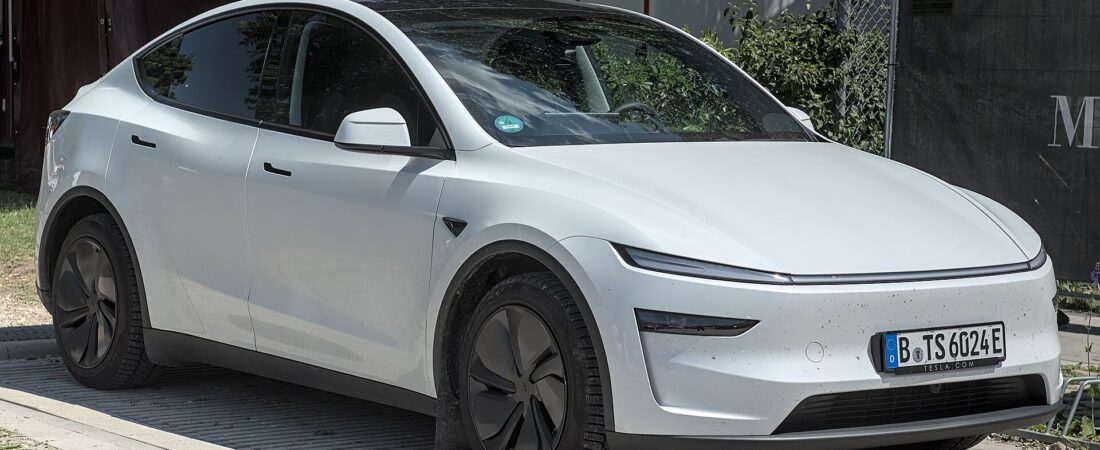

Featured photo: Tesla Model Y (2025) MYLE Festival 2025 DSC 9565.jpg by Alexander Migl (CC BY-SA 4.0) via Wikimedia Commons
Tesla’s Full Self-Driving (Supervised) system gets most of its online coverage from short city loops and ten-minute neighborhood runs. Those tests miss the point. If you want to know whether FSD is worth $99 a month — or worth using the free month from a Tesla referral — the place to find out is on a 300-mile interstate, somewhere between hour two and hour five, when you are in a construction zone at 11 p.m. with a semi on your left. That is the real test, and this guide walks you through how to run it.
Disclosure: This post contains a referral link. If you order a Tesla using it, the author may receive referral benefits at no extra cost to you.
Tesla Referral Offer
Get One Month of Full Self-Driving Free
Order a new Tesla through this referral link and get one month of FSD (Supervised) at no cost. Referral code: willy327274
Claim Free FSD Month →New orders only · Terms apply · Offer availability varies by region
Why a Road Trip Is the Most Demanding Test of FSD (Supervised)
Short urban drives are good for checking whether FSD handles stop signs and unprotected lefts. They are not good for understanding stamina, consistency, or the system’s real handoff behavior. A multi-hour highway run stresses every part of the stack differently, and it surfaces failure modes that simply do not appear during a neighborhood loop.
Hours of Highway Monotony and System Consistency
On an interstate, FSD is in control for long, unbroken stretches. That is actually the hardest thing to evaluate from a driver-fatigue perspective: when the system is working, you can feel yourself drifting toward passive monitoring. At hour one you are watching every lane change. At hour three you catch yourself glancing at your phone or looking away from the road. This is precisely the behavior that regulators and Tesla itself warn against. FSD (Supervised) is not a hands-off system — the driver is fully responsible at all times, hands on the wheel, eyes on the road. But road trips surface that tension in a way that a ten-minute city test simply does not. Understanding how the system holds your attention over five or six hours is a data point you cannot get any other way.
Construction Zones, Toll Plazas, Weather, and Night Driving
US interstates and Canadian provincial highways run through construction zones that can stretch for 30 or 40 miles. Lane lines are painted over, shifted, or replaced with reflective barrels. Temporary speed limits drop from 75 mph to 55 mph with little warning. FSD handles some of these transitions well and struggles with others — the specific behavior depends on the route, the lighting, and how recently Tesla’s map data was updated for that corridor. Toll plazas require a human to manage — most drivers disengage FSD well before the booth and re-engage after the merge back onto the highway. Night driving and rain both reduce the confidence of the vision-based system, and you will notice it in the steering feel and in the frequency of intervention requests. A road trip that includes at least one overnight segment and one stretch of active construction gives you a far more complete picture than any city test.
What FSD (Supervised) Actually Does on the Interstate
On a highway, FSD operates in a mode that is distinct from its city behavior. It manages speed relative to traffic, follows lane markings, and executes automatic lane changes when the driver initiates them or when Navigate on Autopilot requests them for a planned route. Here is what that looks like in practice, and where the settings matter most.
Automatic Lane Changes, On-Ramp and Off-Ramp Handling
When Navigate on Autopilot is active on a planned route, the car will request lane changes to stay on the route and to pass slower traffic, subject to driver confirmation — or auto-confirmed if you have set it that way in the Autopilot settings. On-ramps are handled reasonably well on most major US interstates: the car accelerates to match highway speed and merges when a gap is available. Off-ramps require close attention. If your exit is approaching and the car misses the lane-change window, it will sometimes overshoot the exit and ask for a manual correction. Stack interchanges — where one highway crosses another at multiple levels — can produce hesitation or unnecessary slowing, particularly at unfamiliar or recently reconfigured interchanges. Drivers who regularly use the same corridor tend to report better performance than those running a new route for the first time.
The speed offset setting lets you dial in how far above or below the posted limit the car targets. Many highway drivers set a +5 mph offset. On roads where the speed limit changes frequently — through construction, near towns, or crossing state lines — the car adjusts its target speed automatically based on sign recognition and map data. When sign data and map data disagree, you may see small speed fluctuations worth monitoring. This is especially relevant near state lines, where the posted limit can change abruptly and the car’s response time to new signage varies.
The Honest Limits: Where FSD Asks You to Take Over
Tesla’s FSD (Supervised) is a Level 2 driver-assistance system. That classification — defined by SAE International — means the driver must be ready to take control at any moment. On a road trip, you will encounter several categories of situation where the system either disengages itself or where you should disengage it proactively.
- Construction barrels and shifted lanes: When painted lane lines disappear and are replaced by physical barriers or cones, FSD can wander or brake unexpectedly. Take over early when you see a construction taper beginning.
- Toll booths and weigh stations: These require manual control. FSD does not navigate toll plazas reliably, and weigh stations require exiting the highway and following specific signage that the system is not designed to interpret.
- Ferry terminals and border crossings: Any facility where you need to follow attendant instructions, stop at a staffed booth, or leave paved lane markings should be handled manually from well before the facility entrance.
- Phantom braking: On open highways, FSD occasionally brakes for objects that are not in the lane — shadows, overpasses, vehicles on parallel roads or on-ramps. The frequency varies by route and by software version. These events are worth logging during your test.
- Heavy truck traffic: Large semi-trailers can affect the car’s spacing logic, particularly when they drift within their lane or when their load extends beyond their physical width. The car generally handles trucks adequately at highway speeds, but driving behavior near trucks warrants sustained attention.
For a thorough look at disengagement rates and the regulatory status of FSD across jurisdictions, see Tesla FSD safety data, disengagement rates, and regulatory status.

The Road-Trip Test Plan: How to Evaluate FSD in One Free Month
If you use a Tesla referral link to get a free month of FSD, you have roughly 30 days to run a structured evaluation. A single 300-plus-mile highway drive will tell you more than 30 days of city driving. Here is a practical framework for making that test count.
Setting Up the Test Route
Pick a route that includes at least one segment of active highway construction, at least one section of night driving, and ideally a mix of open rural interstate and denser suburban highway with more frequent exits and lane changes. A 300-mile one-way trip, or a 150-mile out-and-back, works well. Use Tesla’s built-in navigation so Navigate on Autopilot can manage the full route and you can observe how it handles the entire journey, not just isolated segments.
Before you leave, set your trip odometer to zero or note your starting mileage. You will log interventions — each time you take over from FSD — per 100 miles. Keep a simple note on your phone or use a voice memo app. Record each of the following:
- The reason for each intervention (construction, phantom brake, missed exit, toll, weather, other)
- The road condition at the time (day or night, dry or wet, urban or rural)
- Your subjective fatigue level at hour 1, hour 3, and hour 5 or 6
- Whether FSD reduced or increased your mental workload at each stage of the drive
The fatigue comparison is especially relevant for gig and delivery drivers. If you do long-haul rideshare or delivery runs, understanding whether FSD genuinely reduces fatigue — or simply shifts it to a different kind of vigilance — is worth knowing before you commit to a monthly subscription. For more on that angle, see FSD (Supervised) for rideshare and delivery drivers.
What to Note About Truck Traffic and Phantom Braking
Spend at least one 30-minute segment in heavy truck traffic — common on I-80, I-40, I-10, and Trans-Canada segments near major distribution hubs. Watch how the car adjusts its following distance, whether it shows hesitation when trucks change lanes into your lane, and whether it maintains a stable lane position when large vehicles pass on your left. Note whether the system ever misjudges truck width when passing in adjacent lanes. Phantom braking — an abrupt, unexplained deceleration on an otherwise clear highway — is worth logging carefully. Note the location, the time, and what was visible in the lanes around you at the moment it occurred. These events are the most common driver complaint on highway stretches, and tracking them over a full trip gives you an honest picture of frequency rather than relying on anyone else’s anecdote.

Cost Breakdown: $99/Month Subscription vs. the Free Referral Window
Tesla’s FSD subscription in the US is $99 per month. There is no annual prepay at a discount — you pay month to month and can cancel at any time before the next billing cycle. The Tesla referral program currently offers one free month of FSD when a new buyer uses a referral link at the time of purchase. That free month is the lowest-risk way to run a real highway evaluation before deciding whether the subscription makes sense for your driving patterns.
For a full break-even analysis on the subscription cost — including how many miles you would need to drive before FSD delivers measurable time or fatigue savings — see Tesla FSD subscription cost and break-even 2026.
Supercharging Costs on a 600-Mile Round Trip
On a 600-mile round trip, most Tesla models will need one or two Supercharger stops depending on starting charge, speed, elevation change, and climate control use. Supercharger pricing varies by location and time of day, and Tesla adjusts rates periodically, so plan for variability rather than a fixed number. A Model 3 Long Range carrying passengers and luggage at highway speed in flat terrain consumes roughly 280 to 320 Wh per mile. A full 600-mile round trip at that consumption rate requires approximately 170 to 200 kWh of charging from the network. FSD does not materially change energy consumption on the highway — cruise speed and load are the dominant factors. The route planning in the Tesla app will give you a more precise charging estimate for your specific vehicle and conditions before you leave.
Does FSD Reduce Fatigue-Related Stops?
This is one of the most practical questions for road-trippers and working drivers. The honest answer is: it depends on the driver and the route. Some drivers report that FSD reduces the sustained concentration required on long open-highway segments, allowing them to arrive less mentally depleted and to make fewer rest stops. Others find that monitoring the system for unexpected behavior — particularly after phantom braking events, which raise vigilance sharply for some time afterward — creates a comparable level of mental effort to simply driving manually. Your intervention log and hourly fatigue notes from the test plan above are the best way to generate a personal answer. FSD behavior also changes with each software update, so an evaluation you run this month may differ from one you run six months from now.
Canadian Cross-Border Notes: FSD on Canadian Highways
FSD (Supervised) is available in Canada, though feature availability and rollout timing can differ from the US release schedule. If you are crossing from the US into Canada — or evaluating FSD for use on Canadian provincial highways — there are several practical points that do not apply on a purely domestic US trip. For a detailed breakdown of Canadian-specific considerations, see the Tesla FSD (Supervised) Canada 2026 guide.
- Speed units: Canadian highways post limits in km/h. Tesla vehicles purchased in Canada default to km/h display. US vehicles crossing the border should confirm their display units setting before engaging FSD on Canadian roads, since the system reads posted signs and a unit mismatch can create ambiguity about the speed the car is actually targeting versus what you see on the gauge.
- Quebec and French-language signage: In Quebec, highway signage is primarily in French. FSD’s sign recognition has improved over successive software versions, but temporary speed limit boards and construction signage in French may not be recognized as reliably as standard English-language signs. Manual speed management through Quebec construction zones is the safer approach.
- Provincial construction speed fines: Several Canadian provinces, including Ontario and Quebec, have significantly increased fines for speeding in active construction zones, with some corridors using photo radar enforcement. The speed offset setting in FSD should be set to zero or negative when traveling through any Canadian construction zone.
- Subscription pricing: The Canadian FSD subscription is priced in CAD. The rate differs from the US $99/month figure — check the Tesla app for the current Canadian subscription rate before subscribing from a Canadian account.
- Insurance implications: Canadian provincial insurance regulations vary in how they treat driver-assistance system use in accident claims. Confirm with your insurer before relying on FSD on a cross-border trip, particularly if you are using a US-issued policy on Canadian roads or vice versa.
- Border crossing: Disengage FSD well before the border checkpoint. The crossing area involves unstructured lanes, officer directions, variable stop positions, and signage that FSD is not designed to navigate.
If you are considering a new Tesla purchase and want to use the free referral month specifically for a cross-border evaluation, note that the Tesla referral link must be used at the time of vehicle purchase — the free FSD month is activated and available from day one of delivery, giving you the full 30 days for your test.
The Verdict: FSD (Supervised) Is a Driver-Assistance Tool, Not a Replacement Driver
After a 300-plus-mile highway test, most drivers come away with a more grounded view than they had before. FSD (Supervised) handles extended open-highway stretches better than many people expect before trying it. It handles construction zones, toll plazas, and low-visibility conditions worse than some promotional material implies. The free referral month is the right time to find out which side of that ledger applies to the specific routes you drive regularly, before you decide whether $99 a month makes sense for your situation.
What the road trip test will not change is the fundamental nature of the system. FSD (Supervised) is a Level 2 driver-assistance system. The driver is responsible for the vehicle at all times. Hands stay on the wheel. Eyes stay on the road. The system can be disengaged at any moment, and it will disengage itself in conditions it cannot handle. That is the correct framing — not a self-driving car, not a robotaxi, not a hands-free commute tool, but a highly capable lane-keeping and speed-management assistant that earns its value over long, predictable highway miles and costs $99 a month when you decide it is worth paying for.
Try It Yourself
Ready to Try Full Self-Driving?
See what FSD (Supervised) actually feels like on your own commute. New Tesla orders through this referral get one free month of FSD.
Claim Your Free Month →New orders only · Terms apply · Offer availability varies by region
Whether you are a buyer weighing the subscription against your actual driving patterns, or a gig driver wondering whether FSD changes the economics of long delivery or rideshare runs, the month-long road trip test is the most honest evaluation available to you. Set up the route, log the interventions, note the fatigue curve at each stage, and let your own data make the decision.
Driver Opportunity
Ready to Start?
Turn This Guide Into Real Income. Join as a new driver and get up to a $2,575 guaranteed bonus after completing your first 200 deliveries in select US cities.
Sign Up & Start Delivering →New drivers only · Terms apply · Available in select cities