


Every mile you drive without a delivery in the bag is straight-up money leaving your pocket. I learned this the hard way doing 50+ hours a week on DoorDash and Uber Eats — zigzagging across town, doubling back through neighborhoods I had no business being in, sitting in dead zones waiting for pings that never came. Then I started using AI-powered route optimization tools, and my effective hourly jumped from around $14.50 to over $19. That’s not hyperbole. That’s the difference between grinding yourself down and actually profiting.
Driver Opportunity
Want to Earn While You Read?
Join as a new driver and get up to a $2,575 guaranteed bonus after completing your first 200 deliveries in select US cities.
Start Earning Now →New drivers only · Terms apply · Available in select cities
In 2026, these tools have gotten genuinely smart. They factor in real-time traffic, platform surge zones, restaurant prep times, apartment complex quirks, and even historical weather-related slowdowns. This guide breaks down the best route optimization apps available right now, what they actually cost, and exactly how to stack them with your existing gig apps to squeeze maximum earnings out of every hour on the road.
Why Route Optimization Is the Highest-ROI Move You Can Make Right Now
Let’s run the numbers before we get into apps, because the math alone should sell you on this.
The average full-time gig delivery driver in the US puts on roughly 30,000–40,000 miles per year. At the 2026 IRS mileage rate of 70 cents per mile, that’s $21,000–$28,000 in deductible mileage — but it also represents real vehicle wear, real fuel costs, and real depreciation eating into your take-home.
If a route optimization app cuts your dead miles by just 15%, you’re eliminating 4,500–6,000 miles per year. At roughly $0.18–$0.20 per mile in fuel alone (assuming 28–30 MPG and ~$5.20/gallon average nationally in late 2026), that’s $810–$1,200 back in your pocket every year. Most of these apps cost $10–$20 per month. The math isn’t close.
But mileage savings are only part of the story. Better routing also means:
- More deliveries per hour — tighter routes equal faster completions equal more stacked orders eligible for completion
- Less idle time between orders — smart zone positioning means you re-enter demand areas faster instead of crawling back from a far drop
- Lower stress per shift — no fumbling with Google Maps mid-delivery, missing turns, or getting trapped in one-way residential loops
- Better ratings and more tips — faster deliveries mean hotter food, happier customers, and higher tip likelihood
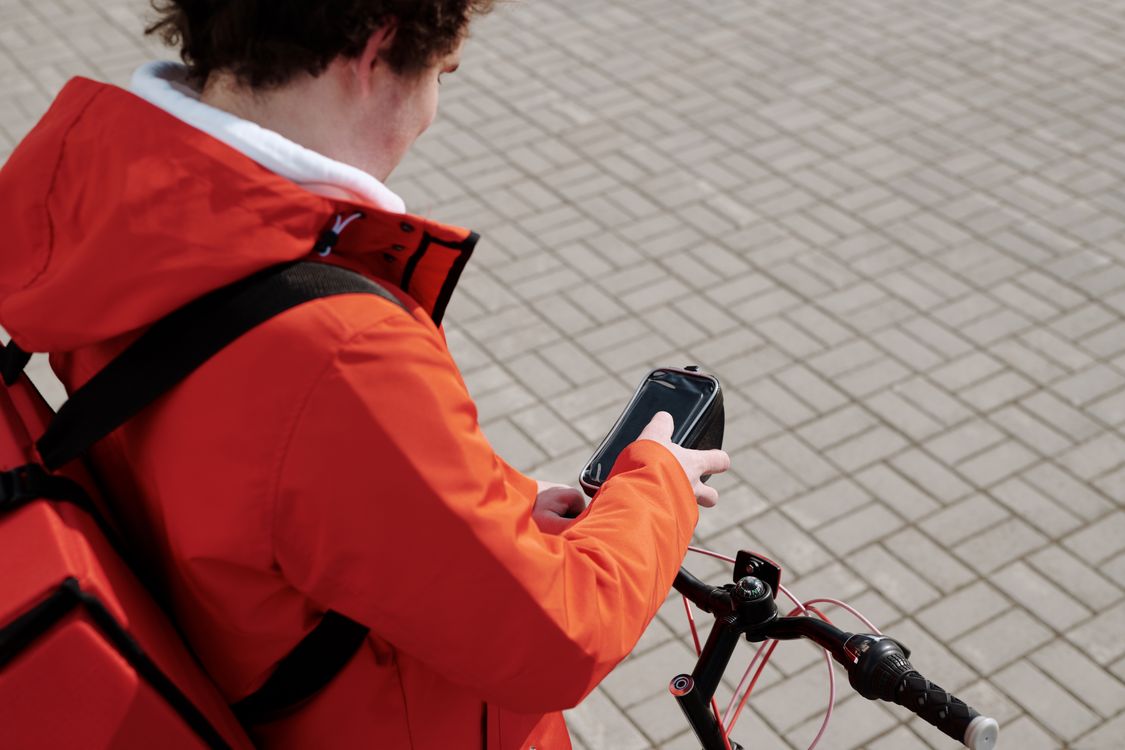
The Top AI Route Optimization Apps for Gig Drivers in 2026
1. Circuit Route Planner — Best Overall for Multi-Stop Efficiency
Circuit has become the default recommendation among experienced drivers handling Amazon Flex blocks, Veho runs, or any gig that loads you with multiple drops per batch. You paste in your delivery addresses, and Circuit’s AI reorders the stops, accounts for live traffic conditions, and lets you set time windows per stop. The 2026 version added predictive traffic modeling drawing from historical data by day of week and hour — so it already knows the strip-mall block on your local commercial corridor is a nightmare on Saturday mornings and routes you cleanly around it.
Pricing: Free tier covers up to 10 stops per route. The unlimited-stops plan runs approximately $20/month. For any driver doing Amazon Flex or Veho regularly, it pays for itself within the first few shifts. And as a reminder, this subscription is a 100% deductible business expense — our guide on Section 179 and bonus depreciation for delivery drivers walks through exactly how to write off tools like this at tax time.
Best for: Amazon Flex, Veho, Roadie, any multi-drop delivery gig.
2. Upper Route Planner — Best for Dynamic Rerouting Mid-Shift
Upper is built for drivers who constantly pivot. When a restaurant is running 20 minutes behind on an order, Upper automatically adjusts your sequence so you’re not sitting in the parking lot burning time and fuel — you’re completing a nearby delivery and circling back precisely when the food will be ready. The AI backbone here pulls simultaneously from Google Maps and Waze APIs and recalculates a live “best path” score every 30 seconds.
Pricing: Approximately $14.99/month for the individual driver plan. A 7-day free trial is available with no credit card required — try it on your next shift and compare your earnings before committing.
Best for: Multi-apping drivers running DoorDash and Uber Eats simultaneously. This tool pairs directly with the strategies in our complete multi-apping guide for 2026.
3. OptimoRoute — Best for Instacart and Grocery Batch Deliveries
If you do Instacart full-service batches, OptimoRoute is genuinely transformative. It handles the complexity of shop-then-deliver in one workflow: enter your batch details, and it optimizes your path through the store aisles AND your delivery sequence afterward. The 2026 update added optional Instacart API sync so it can pull order details automatically when you grant permission in the app.
Pricing: Basic plans start around $19/month; the grocery-optimized features live on the Pro tier at approximately $29/month. Steep for a part-timer, but if Instacart is your primary income source you’ll recoup the cost across just a few well-optimized batches.
Best for: Instacart, Shipt, and any grocery gig where you’re shopping and delivering.
4. Zeo Route Planner — Best Free Option for New Drivers
If you’re not ready to spend money on software — or you’re brand new and still learning your market — Zeo gives you solid AI-assisted routing at zero cost. The free tier handles up to 25 stops per route and includes basic traffic avoidance. It’s not as sophisticated as Circuit or Upper, but for a driver running lighter days or just starting out, it absolutely gets the job done.
Pricing: Free for up to 25 stops/day. Pro plan at roughly $9.99/month removes the stop limit and adds predictive demand heatmaps for your local zones.
Best for: New drivers, lighter gig days, anyone who wants to test route optimization before paying for it.
5. Routific — Best If You’re Building a Side Courier Business
If you’ve leveled up from solo gig driver to taking on local business delivery contracts on the side, Routific is built for fleet-level optimization — even if your fleet is just you and a friend with a cargo van. It’s overkill for pure gig platform work, but if you’re building something beyond the apps, this is a real business tool.
Pricing: Approximately $39/month per vehicle. Designed for business use, not casual gig work.
How to Stack Route Apps with Platform-Native Tools
Here’s what most drivers miss: the route optimization app is only one half of the equation. The platforms themselves have gotten smarter about demand prediction in 2026, and you need to work both angles simultaneously.
DoorDash Hotspot Map + Circuit: Before your shift, screenshot DoorDash’s in-app hotspot recommendations for your zone. When you accept a multi-order stack, plug those delivery addresses into Circuit and let it sequence your drops while keeping you centered near the highest-demand hotspot. Understanding why the algorithm serves you certain orders in the first place is crucial — our deep dive into the DoorDash and Uber Eats algorithm in 2026 explains exactly how positioning affects your order flow.
Uber Eats Surge Zones + Upper: Uber Eats displays surge pricing zones in real time on the heat map. Position yourself at the edge of the highest surge zone rather than the center — orders from the center often have shorter delivery distances, but you want fast access to the zone without being stuck inside it on your return. Upper’s “return to zone” feature recalculates your optimal re-entry point after every completed drop automatically.
Instacart Batch Selection + OptimoRoute Pre-Calculator: Don’t just accept the first batch that pops. Spend 15–20 seconds evaluating the delivery address spread before you commit. Three addresses clustered within a mile is a green light. Addresses scattered across eight miles deserve a harder look at the payout. OptimoRoute’s pre-accept calculator lets you paste addresses and get an estimated drive time before you tap accept.
The Fuel Equation: Route Optimization + 2026 Gas Prices
With gas prices averaging $4.90–$5.60 per gallon nationally in late 2026 — and sitting above $6 in California, Hawaii, and parts of the Pacific Northwest — cutting dead miles isn’t a nice-to-have, it’s a survival requirement. A driver logging 200 miles per day in a vehicle getting 28 MPG burns through roughly 7 gallons daily, costing $34–$39 in fuel before you’ve accounted for anything else.
Reduce that by 15–20% through tighter routing, and you’re saving $5–$8 per shift. Over a five-day week, that’s $25–$40 extra in your pocket with zero extra work. Our breakdown of how gas prices directly affect delivery driver take-home pay in 2026 shows you exactly how to build a personal fuel budget that accounts for your specific vehicle, market, and driving pattern.

Pro Tips for Getting the Most Out of Any Route Optimization App
Pre-Load Addresses Before the Pickup, Not After
Don’t wait until you’re sitting in a restaurant parking lot to type in the delivery address. The moment an order is assigned, paste the delivery address into your route app. By the time the food is ready, your sequence is calculated and ready to navigate. This habit shaves 1–2 minutes per order — which compounds to 20–40 minutes of extra efficiency per shift.
Use “Avoid Highways” Strategically, Not Universally
AI tools default to avoiding highways for short urban deliveries because on-ramp and off-ramp time costs you. In dense city cores, this is correct. But in suburban and rural zones, a short highway hop genuinely saves 4–6 minutes over surface-street crawl. Know your local road pattern and override the app when your ground truth is better than the algorithm’s model.
Build Your Own Zone Heat Map Alongside the App
No app knows your specific market the way you do after 200 hours of driving it. Keep a running notes doc or Voice Memo habit tracking which zones consistently pay out well at what times, which restaurants always run 15+ minutes behind their estimated ready time, and which apartment complexes have impossible parking situations. Feed that local knowledge into how you pre-position before accepting orders — the apps handle the math, you supply the local intelligence.
Stack Route Savings with a Fuel Rewards Card
A route app cuts your miles; a fuel rewards card cuts your cost-per-gallon. Running both simultaneously attacks fuel expenses from two directions at once. Many of the top credit cards built specifically for delivery drivers in 2026 offer 3–5% back on gas purchases. On $800–$1,200/month in fuel spending, that’s $24–$60 back every month — essentially a free route app subscription.
New to the Gig? Here’s Where to Start
If you’re brand new to delivery driving, route optimization is actually even more valuable early on because you’re still developing your market intuition. Start with the free tier of Zeo to build your sense of how deliveries flow in your area — the stopping and starting will teach you patterns faster than any orientation video. Once you’re doing 30+ deliveries per week consistently, upgrade to Circuit or Upper for full AI horsepower.
For new Uber Eats drivers specifically: you can sign up using referral code vuccxew at Uber.com to potentially unlock a sign-up bonus (bonus amounts vary by market and change frequently — check the current offer when you apply). Stack that bonus earnings with your first month running a free route optimizer and you’re entering the gig with the best possible setup from day one.
Yes, You Can Write Off the Subscription — Here’s How
Route optimization app subscriptions are 100% deductible as ordinary and necessary business expenses for independent contractors. A $20/month Circuit subscription equals $240/year off your taxable income. At a 22–25% effective tax rate, that’s $53–$60 back at tax time. Not life-changing on its own, but every deduction stacks. Keep receipts organized in your mileage tracking app or a dedicated expense folder throughout the year so you’re not scrambling in April.
Start Optimizing Your Routes — Your Bank Account Will Notice
The delivery gig landscape in late 2026 is more competitive than it has ever been. Base pay rates have been squeezed on every major platform, tip averages have softened slightly in high-tipping-fatigue urban markets, and fuel costs remain stubbornly elevated. The drivers consistently pulling $20–$25 per hour aren’t working harder than you — they’re working with better information and better tools.
Route optimization is one of the clearest, most measurable levers you control. It doesn’t require a new vehicle, a new city, or a new skill set. It requires downloading an app and spending 20 minutes learning it on your next shift.
Start with Zeo if you want free and low commitment. Upgrade to Circuit if you run multi-stop gigs. Go with Upper if multi-apping is your primary strategy. Your earnings report for the next two weeks will tell you everything you need to know about whether it’s working.
Download your first route optimization app today and run it for a full week. Track your hourly before and after. Share your results in the comments below — the best tips on this site come from drivers in the field who’ve actually tested these tools in real conditions. If you have a routing hack or local-market trick that didn’t make this list, drop it below and help the next driver coming through.
Ready to Start Delivering and Cash In?
Join thousands of drivers already earning — and get a $2,575 guaranteed bonus after completing your first 200 deliveries in select US cities.
New drivers: Sign up through our partner link and start earning today!
Sign Up for Uber Eats and Start Delivering →
Must be 18+. Background check required. Terms apply.